Games for Anxiety
Want something quiet to do with your hands? Trace a line in sand, pop a single bubble or hold a soft ball. Pick the motion you like. All three games have an untimed way to play.
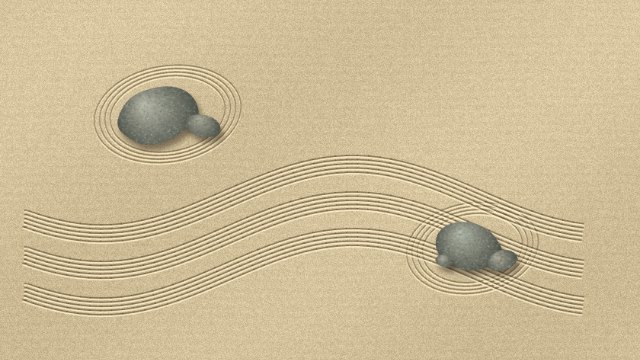
Sand Garden
Silent from the first stroke. Each line stays on the sand.
Play Sand Garden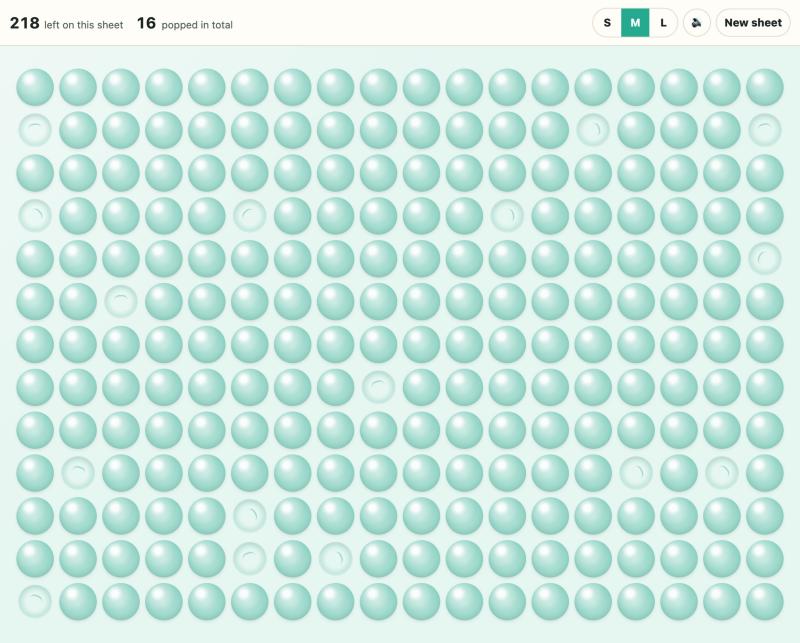
Bubble Wrap
Pop one pocket or sweep a row. Starts with sound off and no timer.
Play Bubble Wrap
Squish Ball
The ball opens with sound off. Hold to make a dent and release to watch it spring back.
Play Stress BoxWhich game feels right for this break?
If sound is the deciding factor, open Sand Garden. There is no music to turn down and no sound effect when the rake touches the sand. If you want a distinct beginning and end to each movement, try Bubble Wrap. A raised pocket flattens under your finger and stays flat. Squish Ball gives you the opposite feeling. The interesting part happens while you hold it, and the ball takes its shape back when you let go.
The games also leave different traces. A sand drawing can stay in your browser for your next visit. A partly popped sheet gives you a row to work along right now. A ball returns to the middle for the next squeeze. If you only have the length of a kettle boil, any of those can be your stopping point.
Sand Garden for a quiet drawing break
Open Sand Garden, choose Rake sand, and start beside one of the stones. Draw one slow curve around its edge. Lift your finger, move a little farther out and draw a second curve following the first. Each pass leaves several fine parallel grooves, so two or three strokes are enough to make a pattern. There's no outline to stay inside and no score for neatness.
For a smaller gesture, choose Ripples and touch an open patch once. The rings are a complete mark on their own. Lay a rake line through one side of the rings if you'd like to see how the two tools overlap. Smooth lets you soften just that part of the drawing. If a stroke goes farther than you intended, choose Undo to bring the previous surface back.
When you like a drawing, Save image downloads a picture. Copy garden link gives someone a version they can draw on. If you'd prefer to revisit something that grows, the same page has a wildflower seed bed. Sow a California poppy, then switch to Water and pour above its roots. The first bloom opens the cornflower packet. Your garden rests when you leave.
Bubble Wrap for one tap at a time
Open the quiet bubble sheet. Pick a raised bubble near the edge and tap. The first pop is silent. You can turn sound on with the speaker control whenever you like. Even with the sound off you can tell where you've been from the creases left in the plastic.
Try a line of three single pops. Next, put your finger down on a fresh row and slide sideways without lifting it. The first movement gives each pop its own beat. The second clears a strip in one gesture. Changing the bubble size changes how far you move between pockets. A larger bubble makes a more generous target on a small phone screen.
The regular sheet has no clock. You can close the page after a single row or stay until the whole sheet refills. The 12-pop sprint is a separate choice for when timing sounds fun. Its timer starts with your first pop. You can leave that option alone and keep popping the ordinary sheet.
Squish Ball for a longer press
Open the quiet Squish Ball. The ball is already selected and the speaker starts off, even if you last used the plate toy. You can turn the sound on while you play.
Place a finger or mouse pointer near the middle of the ball and hold it there. Move a little to one side while still pressing, then release. Watch how the dent follows your movement and the surface settles back. A tap and a long drag each count as one squeeze. The number shows how many times you've pressed. You can spend the whole break on one long kneading motion if that's the part you enjoy.
Questions before you play
Which game can I play with a keyboard?
Sand Garden gives you control over where you draw. Tab to the sand tray, use the arrows to move, and press Space to lower the rake. Move with the arrows again to leave a track, then press Space to lift the rake. For a simpler action, focus the Bubble Wrap sheet and press Space or Enter to pop the next bubble.
Can I come back to the same drawing?
Your personal sand tray saves in the same browser when local storage is available. If you're using a shared computer or want to continue on another device, use Copy garden link while the drawing is open. That link holds the drawing as it looked when you copied it. Copy a fresh link after adding more lines if you want to keep those changes too.